

News
If you are a sophomore or junior interested in scholarship opportunities or gaining additional experience with the SAT, we want to make sure you know about an optional testing opportunity this fall: the PSAT/NMSQT.
What is the PSAT/NMSQT?
The Preliminary SAT/National Merit Scholarship Qualifying Test (PSAT/NMSQT) is a digital assessment that measures the reading, writing, and math skills students are developing in high school. For juniors, it is also the qualifying test for the National Merit Scholarship Program, making it an important opportunity for students who are interested in competing for National Merit recognition and scholarships.
Students may also choose to take the PSAT/NMSQT to:
- Gain experience with the digital SAT format and test-taking process.
- Identify areas of academic strength and areas for growth.
- Access personalized SAT practice based on their results.
- Be considered for National Merit recognition and scholarship opportunities.
FCHS PSAT/NMSQT Information
Date: Wednesday, October 21, 2026
Start Time: 9:00 AM
Location: FCHS LTC (Library)
Students should arrive no later than 8:45 AM to allow time for check-in and to get their laptops set up before testing begins.
Registration Window: Tuesday, September 8 – Friday, October 9
Register Here: www.TotalRegistration.net/PSAT/060590
Pay Here: https://www.schoolpay.com/pay/for/PSATNMSQT/SdDYLuA
Please note that the PSAT/NMSQT is an optional exam and is specifically important for juniors who are interested in qualifying for the National Merit Scholarship Program. Students who plan to pursue National Merit consideration should take the PSAT/NMSQT during their junior year.
If you have questions about the PSAT/NMSQT or whether it is the right opportunity for your student, please reach out to your student’s counselor.
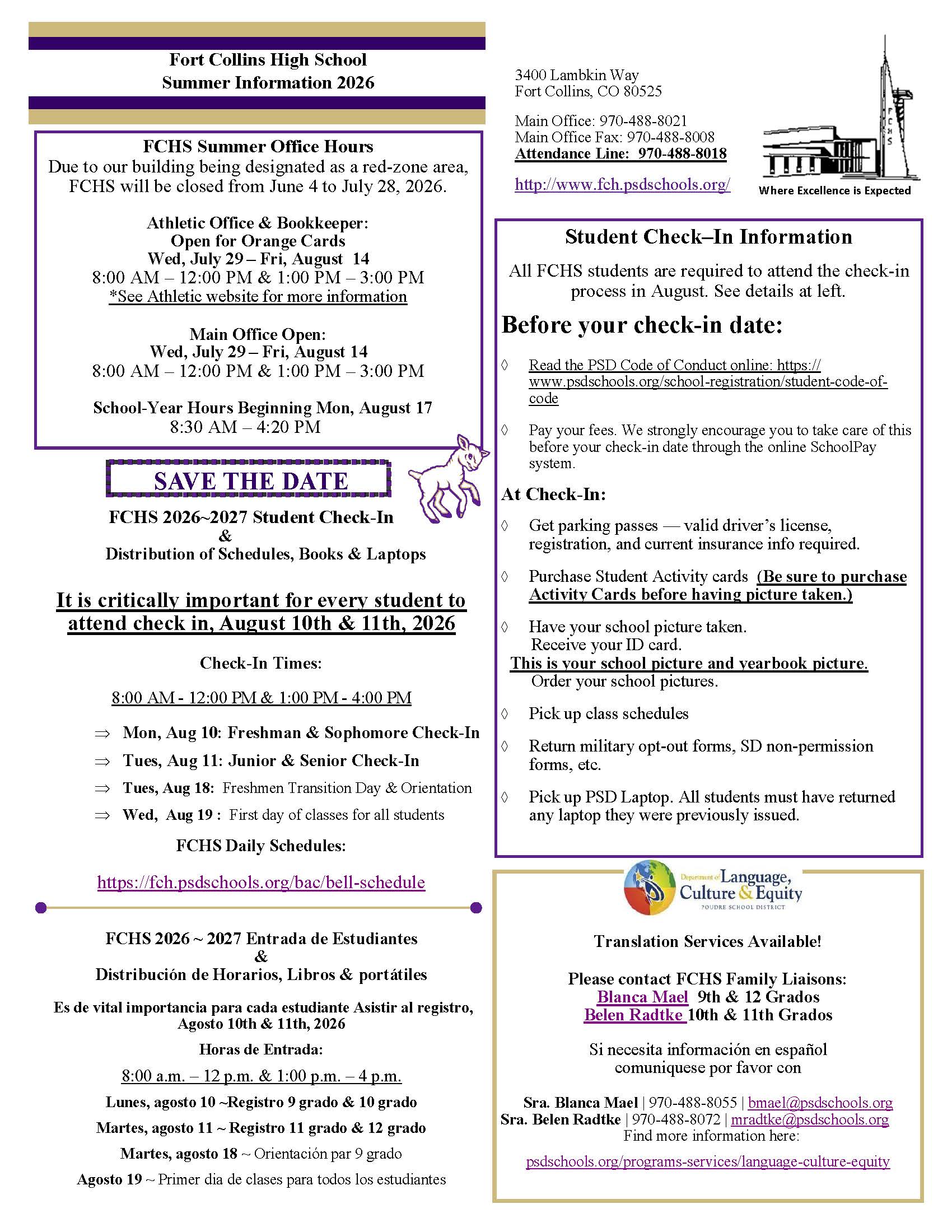
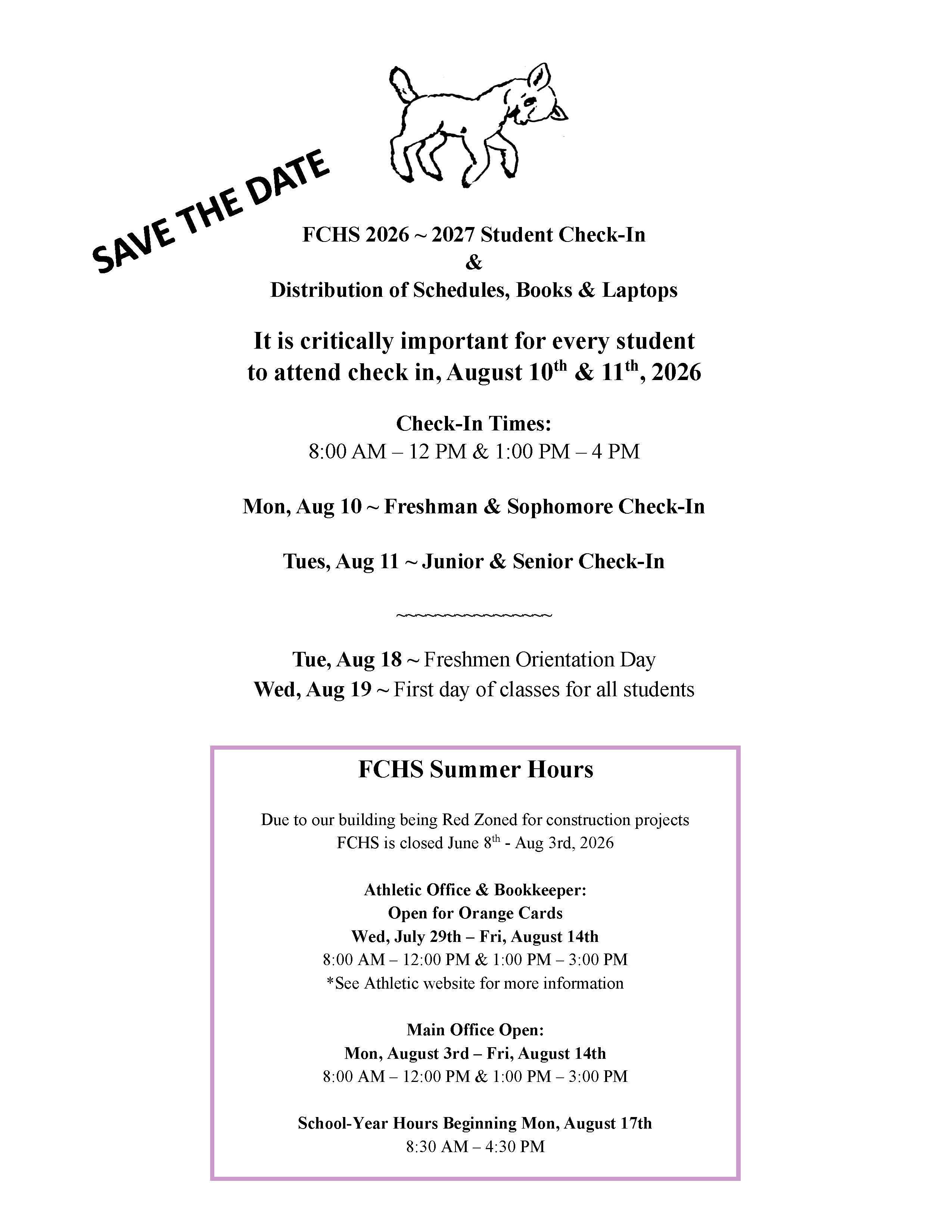
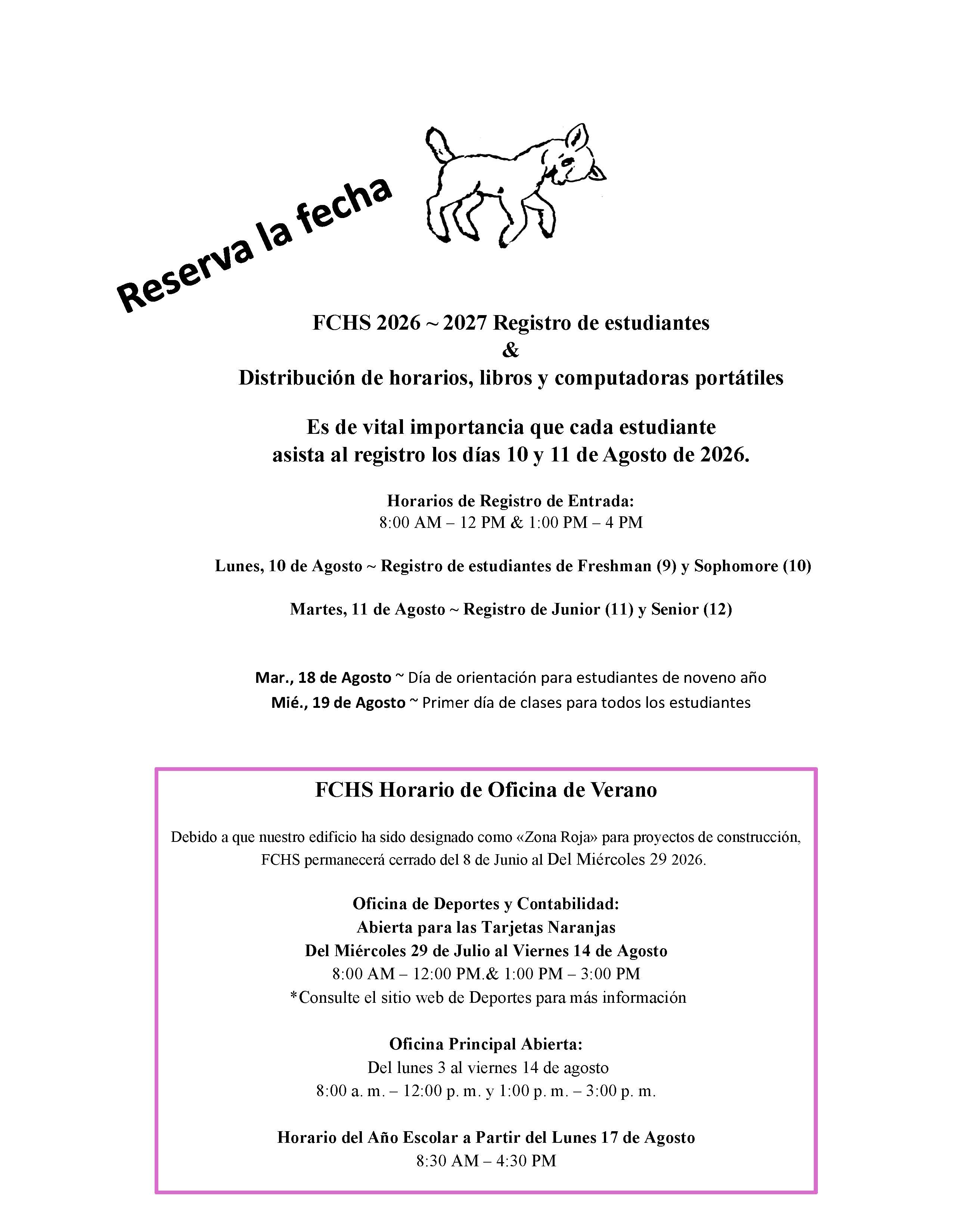
Desde los exámenes finales y el proceso de salida hasta las celebraciones y despedidas, hay mucho sucediendo mientras cerramos el año escolar 2025-2026. Asegúrate de estar al tanto de las fechas y eventos importantes para no perderte nada.
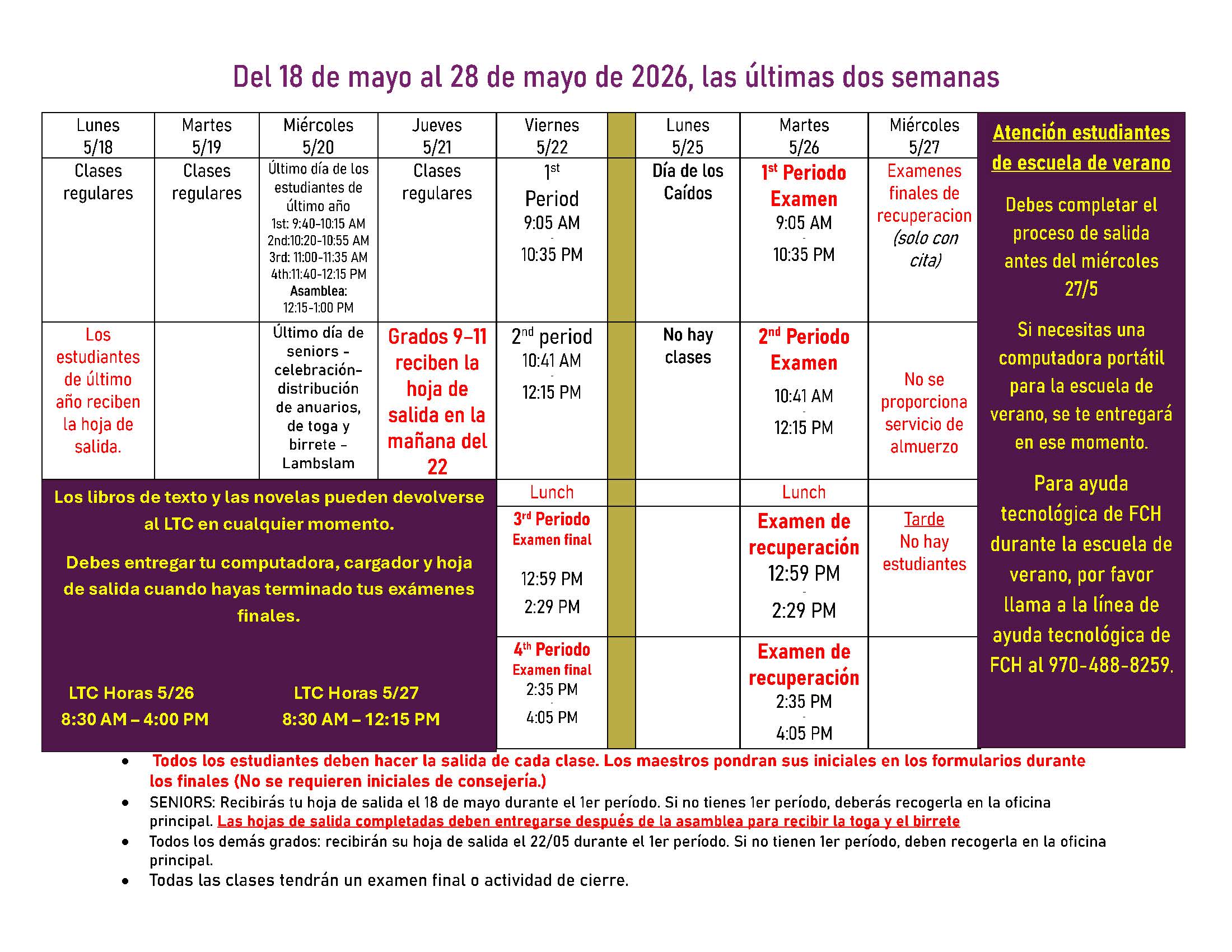
Termina con fuerza, ocúpate de lo que tienes pendiente y haz que estos últimos días cuenten. ¡Ya casi llegamos!
From finals and checkouts to celebrations and send-offs, there’s a lot happening as we wrap up the 2025-2026 School year. Be sure to stay on top of key dates or events that will be taken place so you don't miss anything!
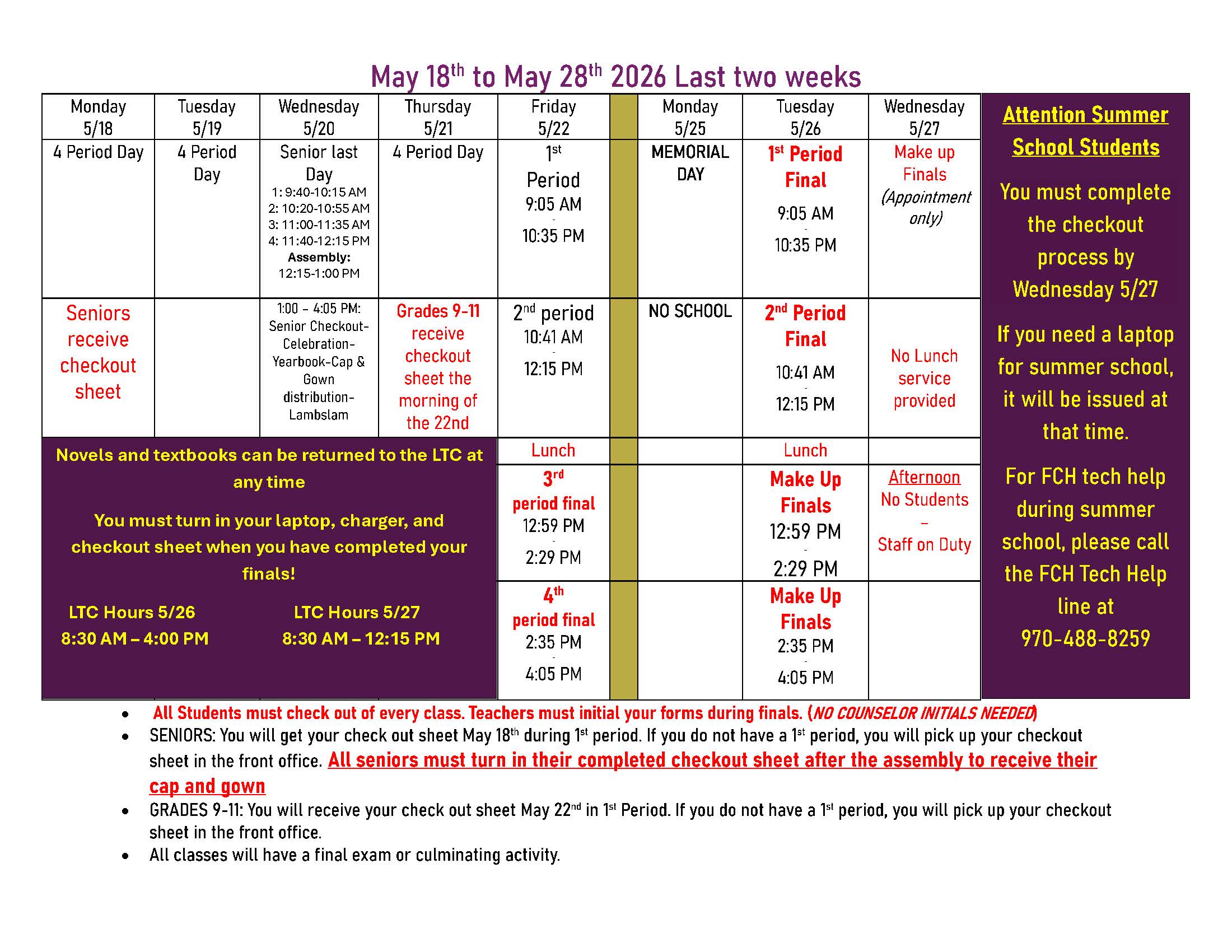
Finish strong, take care of business, and make these last days count. We’re almost there!